- Rust 78.5%
- JavaScript 6.6%
- TypeScript 4%
- HTML 4%
- Shell 2%
- Other 4.9%
| Filename | Latest commit message | Latest commit date |
|---|---|---|
 c37530c0a8 Why: ggml's CPU code is built for plain ARMv8.0 (GGML_CPU_ARM_ARCH armv8-a), so phones with dot product (nearly every arm64 phone since 2018) multiply the quantized weights the slow way. What changed: - CMakeLists.txt builds two self-contained copies of the speech library from the same patched whisper.cpp source: libhexspeech.so (armv8-a, unchanged) and libhexspeech_v82.so (ggml's CPU code at -march=armv8.2-a+dotprod, ggml's android_armv8.2_1 variant). The second copy's Whisper and ggml are a second configure of the same CMakeLists.txt (ExternalProject, HEX_SPEECH_DEPS_ONLY), forwarding the toolchain, so both get the same patch, visibility, -ffunction-sections, --gc-sections, --exclude-libs,ALL and POST_BUILD check-imports.cmake. ninja -t commands shows only ggml-cpu's -march differs between the two builds. - build.gradle.kts builds both targets. Both are static (c++_static) like today's. - Whisper.kt picks one before System.loadLibrary: libhexspeech_v82 only when the process is aarch64 and AT_HWCAP (from /proc/self/auxv) has every ARMv8.2 user feature the -march flag lets the compiler use (crc32, atomics, asimdrdm, asimddp); the kernel reports a feature only when every core has it, so the 8.2 code never runs on a core without it (no SIGILL). Anything else (a processor without them, a non-arm64 process, an unreadable auxv) loads libhexspeech exactly as before, and an UnsatisfiedLinkError or SecurityException loading libhexspeech_v82 falls back to libhexspeech. The choice is logged once (tag HexSpeech; the release rules strip it like every Log call). Rejected: the earlier android-cpu-variants draft (80e79aba1) used GGML_BACKEND_DL with GGML_CPU_ALL_VARIANTS: shared ggml libraries and a loader that dlopens libggml-cpu-*.so by path. That is what #2610 removed: a keyboard's process should not carry code that loads shared objects from a path, check-imports.cmake forbids dlopen, and Play Protect gates every release. Here our libraries import no dlopen; the platform's System.loadLibrary picks the file. Not identical text: ggml's non-dot-product fallback (ggml_vdotq_s32 in ggml-cpu-impl.h) groups the lanes of the integer dot product differently from the vdotq_s32 instruction, so the float sums round differently and a borderline clip can decode differently. Measured with the app's decode parameters (40 short clips, 15 long, deterministic run to run): - small model: 1 short (Norwegian 39) and 1 long (nol0) clip differ; WER 5.26 -> 5.61% short (emulator), 5.69% long both. - bundled tiny model: 1 short (German 32) and 1 long (esl0) clip differ; WER 17.54% both short, 13.94 -> 14.13% long. Every English short clip is unchanged. Verified: - Both libraries in the built APKs (debug and preview): llvm-nm -D exports exactly the four Java_ly_anoma_hex_speech_Whisper_{abort,decode,free,load}, no fork/execlp/execve/prctl/ dlopen/system import, and identical import lists; the import check ran for each. - Timing on the arm64 emulator (Apple M5 host), Android harness linked from the same archives, 4 threads, sum over the set: small 40 short 22.3-23.7 s -> 17.7-18.1 s, 15 long 41.3-46.0 s -> 32.0-33.7 s; tiny 40 short 11.6 s -> 10.0 s, 15 long 4.9-5.0 s -> 4.8-4.9 s. - Run-time choice and fallback under app_process on the emulator with this build's Whisper class: both libraries present loads libhexspeech_v82; libhexspeech_v82 missing or truncated logs the failure, loads libhexspeech, and the dictation still transcribes. - ./gradlew testDebugUnitTest (175 tests, 0 failures), assembleDebug, assemblePreview green. - APK size: preview 67,916,843 -> 69,451,262 bytes (+1.46 MiB, the second 1.5 MB library, stored uncompressed); debug 94,875,730 -> 96,401,861. No test files added. |
||
| .cargo | ||
| .cloudflare/cache | ||
| .config | ||
| .github | ||
| android | ||
| app | ||
| assets | ||
| crates | ||
| design | ||
| docs | ||
| ios | ||
| macos/HexMicrophoneDriver | ||
| native | ||
| nix | ||
| packaging | ||
| perf | ||
| prototypes/app-shell | ||
| release-notes | ||
| resources | ||
| scripts | ||
| sdk | ||
| site | ||
| skills | ||
| src | ||
| tests | ||
| .gitignore | ||
| .hivemind.toml | ||
| .markdownlint-cli2.jsonc | ||
| AGENTS.md | ||
| build.rs | ||
| Cargo.lock | ||
| Cargo.toml | ||
| clippy.toml | ||
| CONTRIBUTING.md | ||
| flake.lock | ||
| flake.nix | ||
| LICENSE | ||
| README.md | ||
| ROADMAP.md | ||
| SECURITY.md | ||
| strobe.json | ||
| THIRD_PARTY_NOTICES.md | ||
Hex
Hex is local voice dictation for Mac, Windows and Linux. Hold a key, speak, and it pastes.
How it works
- hold the shortcut, speak, then let go
- Hex transcribes on your device and pastes into whatever app you're in
- the first run downloads a speech model; after that nothing leaves your machine
- experimental features live in Labs, at the bottom of the sidebar
What it does
- hold the shortcut to dictate, or set Shortcut mode to Tap to start and stop with a press
- the text lands at the cursor in whatever app you're in
- Option-Shift-V pastes the last dictation again (Ctrl-Alt-V on Windows and Linux)
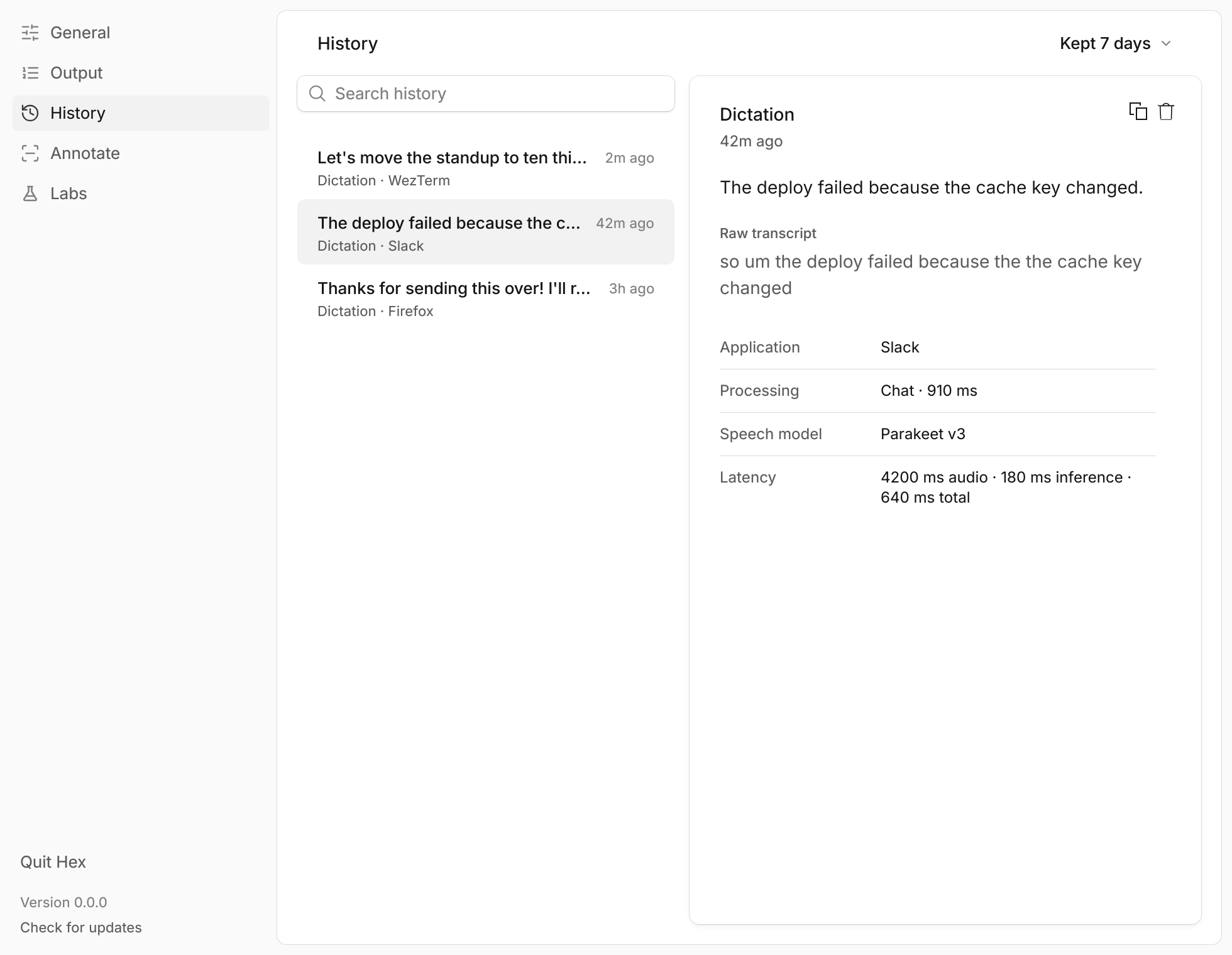
- History keeps your dictations, searchable, for 7 days by default
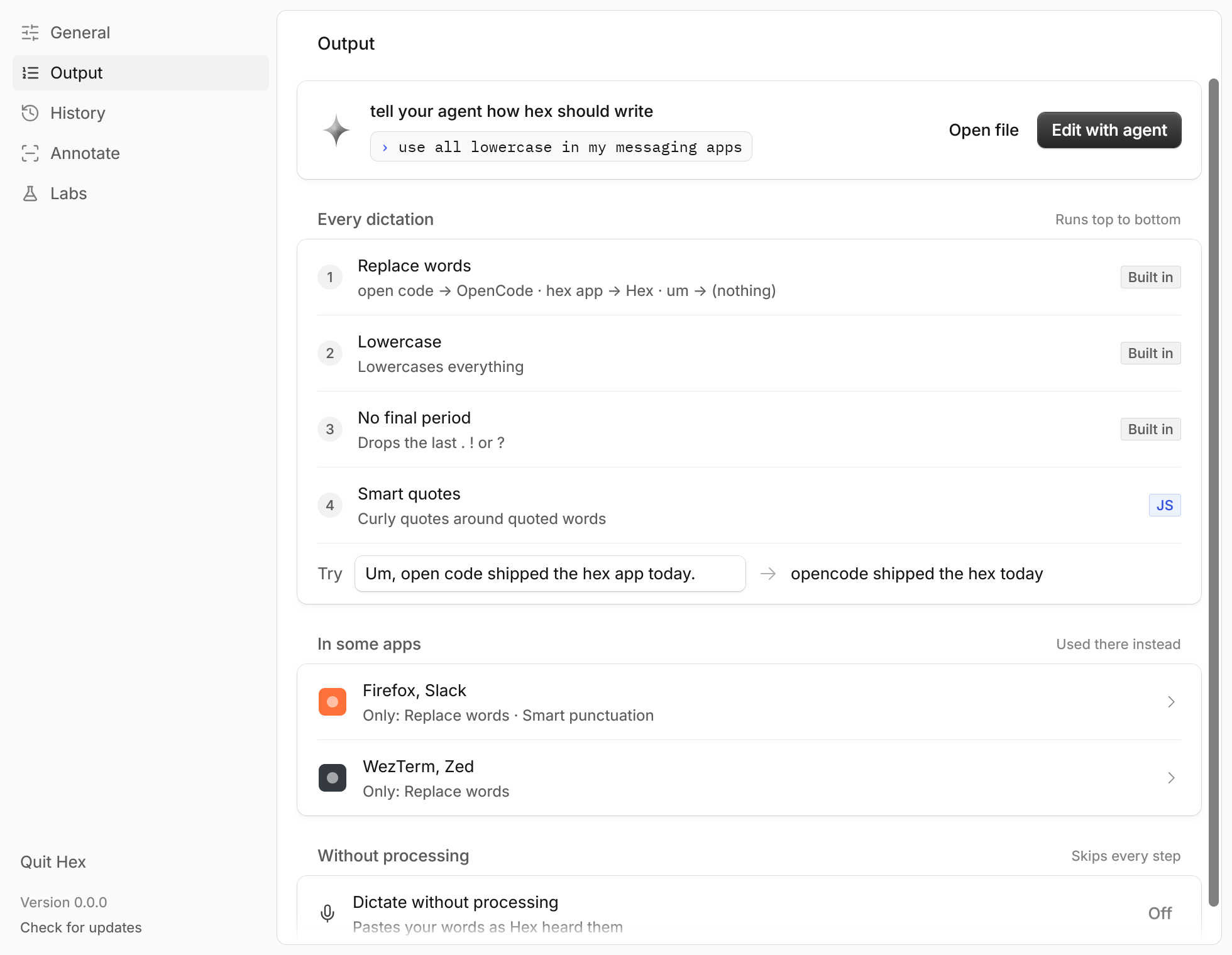
- Output runs every dictation through steps you choose (word replacements, built-in cleanups, your own scripts, an optional OpenCode rewrite), with different steps per app or website
- Vocabulary is one list of names Hex should know; Whisper and Qwen3-ASR read it while transcribing, Parakeet models read it with Labs › Vocabulary help on, and the OpenCode rewrite uses it
- Annotate records the screen while you draw and talk, on macOS, Linux and Windows (GNOME Wayland needs Labs › Annotate on GNOME)
- an authenticated local API and the TypeScript SDK transcribe with the same model, for your own tools
- Meetings is a macOS lab that records a call and writes the transcript
Output and History:
Speech models
Hex downloads one model the first time it runs and transcribes with it on your
machine from then on. On an English system that's Parakeet Unified English: it
writes while you talk, so the text is ready when you let go. Other languages
start with the model recommended for them. That model also serves meetings and
hex transcribe.
Settings' picker offers more, among others:
- Parakeet v3: 25 European languages, and it hears which one you speak
- Cohere Transcribe: the fewest wrong words, in 14 languages; a big download
- Whisper large-v3-turbo: almost any language, and it reads your vocabulary
- Qwen3-ASR 0.6B: Chinese and 29 more, and it reads your vocabulary
- SenseVoice Small: Chinese, Japanese, Korean and English; a small download
- Nemotron 3.5 ASR: writes while you talk, in 27 languages
- Granite Speech 5.0: IBM's model, seven languages, with punctuation
- one-language models: ivrit.ai Whisper for Hebrew, GigaAM v3 for Russian, NB-Whisper for Norwegian, KB-Whisper for Swedish, QwenCleo-ASR for Egyptian Arabic
- more English models: Parakeet v2 and Underdog Bark 3.0
Add a GGUF model of your own with "Add model file…" in the picker; see your own speech models.
Downloads
Stable is the current release. Dev is the newest build of dev and updates
itself from the dev channel.
| Platform | Stable | Dev |
|---|---|---|
| macOS (Apple silicon) | DMG | DMG |
| Windows x64 | Installer | Installer |
| Windows ARM64 | Installer | Installer |
| Linux x86_64 | Executable | Executable |
| Linux x86_64 (Debian, Ubuntu) | .deb | .deb |
| Linux x86_64 (Fedora, openSUSE) | .rpm | .rpm |
| Linux ARM64 | Executable | Executable |
| Linux ARM64 (Debian, Ubuntu) | .deb | .deb |
| Linux ARM64 (Fedora, openSUSE) | .rpm | .rpm |
Or install with:
- Homebrew:
brew install --cask anomalyco/tap/hex - AUR:
yay -S hex-bin - install script (Linux):
curl -fsSL https://anoma.ly/hex/install-linux.sh | sh - Nix (Linux):
nix profile add github:anomalyco/hex
Command line
hex transcribe meeting.m4a prints a recording's transcript, whether or not
the app is running. It reads WAV, AIFF, CAF, FLAC, MP3, Ogg, WebM, and
MP4/M4A/MOV, including a video's soundtrack. The same hex controls the
running app (hex status, hex dictation, hex settings); see
docs/cli.md.
On macOS the CLI is inside the app. Homebrew links it for you; otherwise link
it somewhere on your PATH that you own:
ln -s /Applications/Hex.app/Contents/MacOS/hex ~/.local/bin/hex
Linux and Windows installs put hex on your PATH.
More docs are in docs/.
Contributing
We don't take pull requests. Open an issue describing the bug or idea, and our agents usually turn it around fast.
MIT licensed.